- Asset type: Complete game template; C# runtime and level authoring tools
- Unity: Unity 6; verified 6000.0.62f1. Earlier versions are not certified
- Verified Editor version: 6000.0.62f1
- Render pipeline: Universal Render Pipeline 17.0.4
- Color space: Linear
- Primary orientation/layout: Portrait; responsive browser canvas preserves 9:16
- Input: Touch and mouse
- Included levels/content: 500 JSON levels; all 500 imported winning witnesses passed; 496 distinct formations measured in the current clean buyer import
- Included gameplay systems/boosters: 3: Shuffle, Unlock and Extra Tray (maximum three additional trays per attempt)
- Authoring tools: Manual Level Editor and Auto Level Generator; JSON campaign authoring
- Scenes: 3
- Prefabs: 15
- Scripts: 696 C# files; 9 assembly definitions
- Shaders/materials: 1 shader sources; 6 materials
- Textures/sprites: 97 images; 48–1784 px wide, 48–1536 px high; exact dimensions and formats in technical-inventory.json
- Audio: 48 WAV clips; sample rates [44100, 48000] Hz; bit depths [16]; channels [1, 2]; 0.08–2.12 seconds per clip; 31.24 seconds total
- Data format: JSON level data; Unity scenes, prefabs and ScriptableObject configuration
- Required dependencies: com.unity.render-pipelines.universal 17.0.4; com.unity.inputsystem 1.14.2; com.unity.ugui 2.0.0; import TextMesh Pro Essential Resources separately
- Optional integrations: Google Mobile Ads/AdMob, LevelPlay, AppsFlyer and platform services require separate SDKs and buyer credentials; SDK binaries are not bundled
- Ads: Ads are included. Provider adapters and LocalQA configuration are included; these downloadable demos use mock/local fallback with no Google SDK installed. Official Google-served test-ad shots in the promo are separately recorded evidence. Configure production IDs, consent and vendor SDKs before release
- Verified build targets: See current build receipts and validation status in publishing evidence
- Supported project targets: Android and WebGL; Windows used for buyer-import gameplay validation. iOS/native-device acceptance is not certified
- Known limitations: The native manual-editor view can overflow for long level JSON; DEV shortcuts are intentionally present in the demo. Winning-witness validation does not establish exhaustive player balance. Production signing, privacy/consent, store products, live ad/billing/account certification and original game provenance confirmation remain pending
Turn crowded shelves into a readable sorting challenge. This Goods Sorting Unity puzzle template gives you a drag-to-match game, a 500-level campaign and the tools to build the next set of shelves.
Try First: Play in Browser | Download the Android Demo | Read the Online Guide
Included LiveOps asset: View the complete HyperCasual LiveOps Kit on the Unity Asset Store
🧩 A shelf that keeps changing
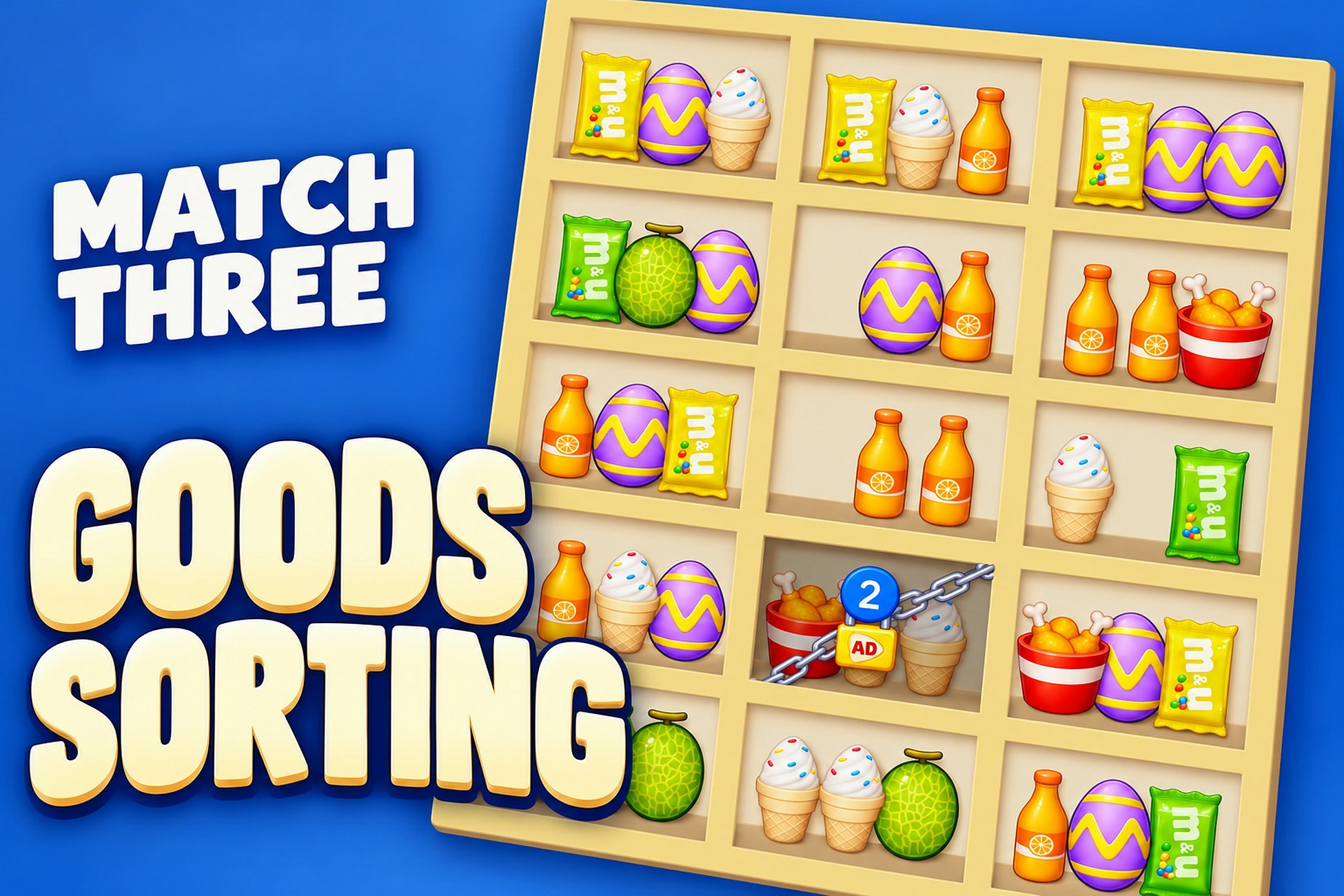
Move goods between the free slots of open three-slot boxes. Three matching goods clear a box; queued boxes move onto the shelf, while chained boxes introduce another constraint. Clear the boxes to win. A jammed shelf creates a genuine failure and retry loop.
🛠️ Author the next shelf campaign
Use the manual editor to adjust columns, queue depth, visible rows, item types and chains. The automatic generator supports seeded generation, validation and appending content. The shipped 500-level campaign has passing winning-witness replays; this verifies the recorded solution, without claiming exhaustive player balance.
✨ Three ways out of a jam
Shuffle rearranges the open shelf. Unlock targets a chained box. Extra Tray adds an attempt-local empty tray, up to three. The game-owned icons and tutorial illustrations explain these existing effects.
📱 Configure services for your own release
Ads are included through the bundled HyperCasual LiveOps Kit provider adapters. The current demo configuration falls back to local/mock ads because the Google Mobile Ads vendor SDK is not installed. Install your selected SDK and configure production IDs, consent, signing, privacy policy and store products before releasing. LiveOps adds the shared reward, shop, progression and retention foundation; this delivery does not certify live provider accounts or native devices.
📦 What the buyer imports
The complete game and its relocated level tools live under Assets/_GoodsSorting; the included first-party HyperCasualLiveOpsKit remains a separate root. Internal capture/build/upload tooling is excluded. Unity 6000.0.62f1 with URP 17.0.4, Input System 1.14.2 and Unity UI 2.0.0 is the verified editor configuration. Replace goods and shelf art or edit booster definitions to retheme the game. The Android demo uses development/debug signing.
📚 Keep the limits visible
Large level JSON can overflow the native editor view horizontally. Full campaign gameplay balance, native-device acceptance and live services are not certified. Original game-code/art authorship and license confirmation remain unresolved in the supplied source records; the first-party LiveOps approval does not resolve those game-specific origins.
Asset uses Robert Penner’s Easing Equations under BSD 3-Clause License; see Third-Party Notices.txt file in package for details.
See Third-Party Notices.txt in the package for the verified dependency and license inventory.
The game-specific online guide explains importing the buyer package, configuring URP, editing levels, generating content and preparing platform services. The included kit manual covers its shared systems.
For product help, contact SatisVizion at [email protected]
Hosted browser demo refresh is pending; the validated local WebGL archive is included in the kit.